Finding out whether a room contains a hidden camera can be unsettling, particularly when you are staying in a hotel, holiday rental or unfamiliar property. Although many unusual objects are completely harmless, knowing how to spot spy cameras can help you identify potential privacy concerns and decide what to do next.
The most practical starting point is a careful visual inspection. Look for unfamiliar objects, unexplained lens-like openings and devices positioned to view private areas. A phone flashlight may help reveal a camera lens, while some smartphones can detect infrared light from certain night-vision cameras. However, no single method can guarantee that a room is free from hidden recording devices.
This guide explains nine practical ways to check for suspicious cameras, the limitations of detection apps and how to respond safely if you discover something concerning.
1. Inspect Unfamiliar Objects and Electronic Devices
Start by looking around the room without moving or dismantling anything. Hidden cameras need a view of the area they record, so pay attention to unfamiliar objects with a direct line of sight towards beds, bathrooms or changing areas.
Objects worth examining visually include:
- Alarm clocks and decorative clocks
- USB chargers and power adapters
- Lamps and electronic accessories
- Picture frames and decorative ornaments
- Air fresheners and other unfamiliar gadgets
- Smoke detectors and other ceiling-mounted equipment
The presence of any one of these objects does not mean a camera is hidden inside it. Most are ordinary household items.
Instead, look for specific inconsistencies, such as an unexplained pinhole, a lens-like reflection, unusual wiring or an object that appears modified. An unfamiliar device with no obvious purpose deserves closer attention, but visual clues alone cannot confirm that it contains a camera.
Practical tip: Compare suspicious objects with similar items elsewhere in the room. If something appears unusual, photograph it in place rather than opening it.
2. Use a Phone Flashlight to Look for Lens Reflections
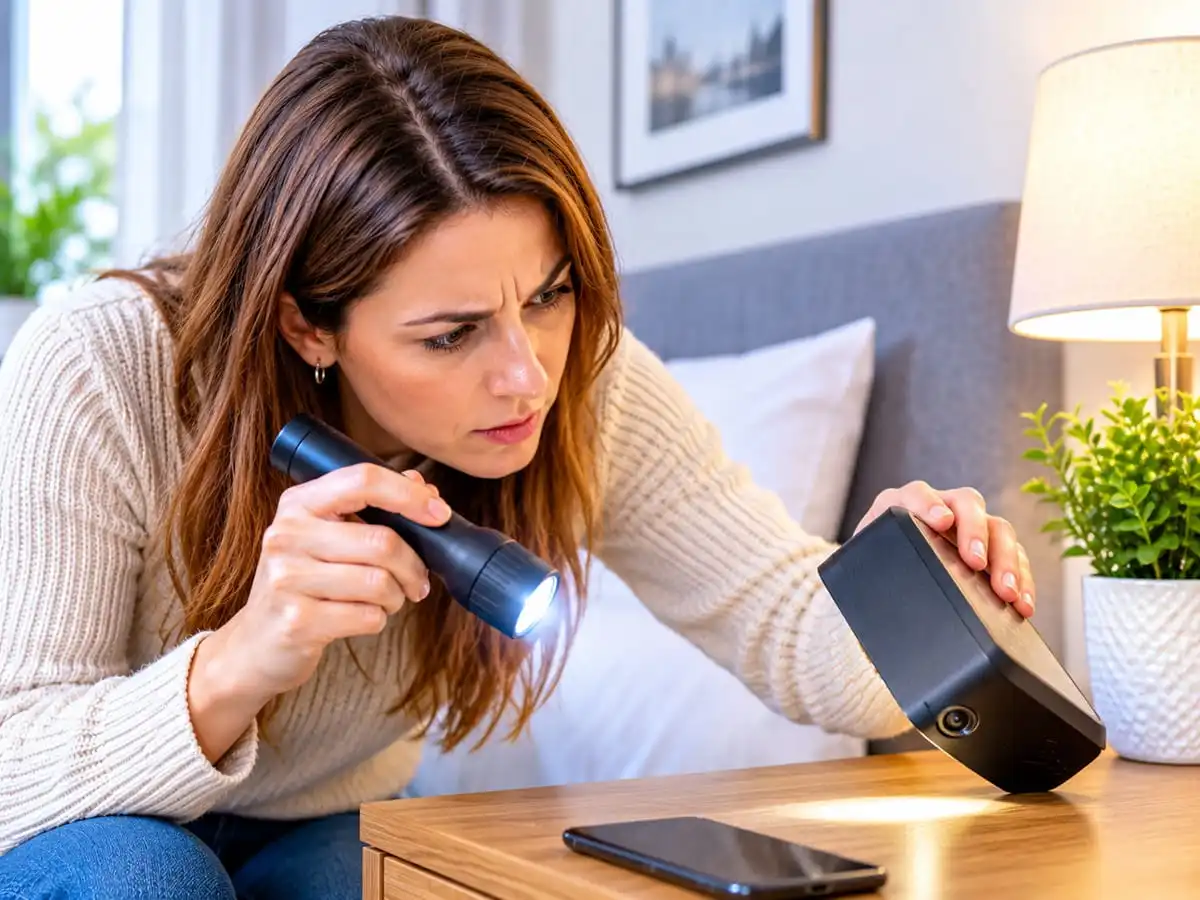
A small camera lens can sometimes reflect light differently from the surrounding material. A flashlight is a simple tool that may help reveal this reflection without requiring specialist equipment.
To perform a basic check:
- Dim the room lighting if it is safe and practical.
- Turn on your phone’s flashlight.
- Slowly scan visible surfaces and unfamiliar objects.
- Look for small, concentrated reflections that appear lens-like.
- Examine any suspicious reflection from a different angle.
Pay particular attention to objects facing private areas, but do not assume that every shiny point is a camera.
Polished screws, glass, indicator lights and decorative surfaces can produce similar reflections. Some camera lenses may also be hidden behind materials or positioned in ways that make them difficult to see.
A flashlight inspection is therefore a useful first check, not proof that a device is recording.
3. Check Whether Your Phone Camera Can Detect Infrared Light
Some hidden cameras use infrared LEDs to capture images in low-light conditions. Although infrared light is invisible to the human eye, certain smartphone cameras can detect it.
You can test whether your phone is sensitive to infrared light using a known infrared remote control at home. Point the remote at your phone’s camera and press a button. If you see a flashing light on the screen, that camera may be able to detect some infrared wavelengths.
If your phone can detect infrared light, you can conduct a cautious visual scan of unfamiliar objects in a dim room.
However, there are important limitations:
- Some phone cameras have infrared filters that block much of this light.
- Many cameras do not use infrared illumination.
- An infrared light source is not necessarily a camera.
- Reflections and other electronic indicators can cause confusion.
A phone that does not reveal infrared light does not establish that a room is camera-free. Likewise, a visible infrared light is only a clue that needs further assessment.
4. Look for Objects With an Unusual View of Private Areas
Camera placement can provide useful context. A device positioned to view a bed, shower or changing area may deserve closer inspection if its placement seems inconsistent with its apparent purpose.
Look at the room from the perspective of someone standing or sitting in these areas. Notice unfamiliar objects that appear deliberately angled towards them.
Check whether the object has a reasonable everyday purpose and whether its position is consistent with that purpose.
For example, a clock beside a bed is normal. An unfamiliar electronic object with an unexplained opening, unusual wiring and a direct view of a private area may justify further investigation.
Do not treat location alone as evidence of surveillance. A smoke detector, motion sensor or ordinary security device may be installed for legitimate reasons.
5. Review Unfamiliar Wi-Fi or Network Devices Where Appropriate
Some cameras transmit footage through Wi-Fi, while others store recordings locally or use different communication methods. A network scan can sometimes provide additional clues, but it is not a reliable way to rule out hidden cameras.
If you manage the network yourself, review the connected-device list in your router’s administration interface. Look for devices you cannot identify, then compare their names and manufacturer details with your own equipment.
When staying in accommodation, you may not have permission or access to inspect the property’s network. Do not attempt to access another person’s router or accounts without authorisation.
Remember these limitations:
- A camera may not use Wi-Fi.
- A device may record to local storage instead of transmitting footage.
- Guest networks may prevent connected devices from seeing one another.
- Ordinary televisions, speakers, printers and smart-home devices can appear unfamiliar.
- A device name does not reliably establish what the device is.
An unknown network device is not proof of a spy camera. If the concern remains, focus on documenting the physical object and seeking appropriate assistance.
6. Understand What Hidden-Camera Detector Apps Can and Cannot Do
Mobile apps may advertise hidden-camera detection through camera analysis, network scanning, magnetic sensors or other phone features. Their effectiveness depends on what the app actually measures and the hardware available on your device.
Some apps can help identify visible infrared lights or list devices on a network you are authorised to inspect. Others may produce alerts based on magnetic-field readings or signals that are not specific to cameras.
Be cautious of apps that promise to find every hidden camera.
A phone’s magnetometer is not a universal camera detector, and a network-scanning app cannot identify a camera that is not visible on the network. Ordinary electronics can also generate readings that an app may flag incorrectly.
Before installing a detection app, review its permissions, privacy policy and subscription terms. Avoid granting access to personal information that is unnecessary for its advertised function.
Treat any alert as a clue rather than a confirmed discovery.
7. Consider a Dedicated Hidden-Camera Detector
Dedicated detectors may offer additional capabilities, depending on the device. Some detect certain radio-frequency transmissions, while others use optical methods to help locate lens reflections.
They are not all equivalent, and purchasing one does not guarantee a complete inspection.
An RF detector may identify transmissions from some wireless devices, but it can also react to ordinary electronics. It may miss a camera that is switched off, recording locally or operating outside the detector’s supported frequency range.
Optical lens detectors can help reveal certain lenses under suitable conditions, but visibility depends on distance, positioning, lighting and the device’s design.
If you are considering a detector, check its documented capabilities and limitations rather than relying on broad marketing claims. For serious concerns involving professional surveillance equipment, a qualified technical surveillance inspection specialist may be more appropriate than a consumer gadget.
8. Know When a Mirror or Other Surface Warrants Closer Inspection
Mirrors, glass panels and reflective surfaces sometimes raise concerns about concealed cameras. However, the appearance of a mirror or the result of a simple online test cannot reliably establish whether a camera is behind it.
Look for physical irregularities or an unusual object positioned around the mirror, rather than relying on popular tricks that claim to identify surveillance devices with certainty.
If a mirror or fixture appears tampered with, document its appearance and seek assistance from the property manager or an appropriate professional.
Avoid removing fixtures, breaking glass, opening electrical equipment or damaging property to investigate a suspicion. These actions can create safety risks and make it harder to establish what happened.
9. Document and Report Anything Suspicious
If you discover an object that appears to contain an undisclosed camera, prioritise your safety rather than trying to prove what it is yourself.
Take these steps:
- Move to a safer location if you feel uncomfortable or believe your privacy may be at risk.
- Photograph the object in place if doing so is safe. Include enough surrounding detail to show where it was located.
- Record relevant information, such as the date, time, property address and why the object appeared suspicious.
- Avoid touching or dismantling it. Do not remove memory cards, disconnect unfamiliar wiring or attempt to access the device.
- Report the concern to the appropriate authority. In a hotel or holiday rental, contact management or the booking platform. In the UK, report suspected criminal activity to the police; call 999 in an emergency.
- Preserve supporting records, including booking confirmations, messages and photographs.
A suspicious object may turn out to be an ordinary sensor or electronic component. Let the appropriate authorities or a qualified professional assess it rather than making unsupported accusations.
Can You Guarantee a Room Is Free From Hidden Cameras?
No. A visual inspection, phone camera, network scan or consumer detector cannot guarantee that a room contains no hidden cameras.
Some devices may be switched off, use local storage, lack infrared illumination or be concealed in ways that prevent ordinary detection methods from working.
For most travellers, a calm visual inspection followed by a flashlight check is a reasonable first step. Additional checks may help in particular circumstances, but their limitations should be understood.
If you have a credible reason to suspect covert surveillance in a private space, consider leaving the area and seeking professional or police assistance rather than spending hours trying to investigate it yourself.
Frequently Asked Questions
How can I spot a spy camera with my phone?
Start with a visual inspection and use your phone’s flashlight to look for unusual lens-like reflections. Some phone cameras can detect infrared light from certain devices, but not all phones or cameras support this. No phone method can guarantee that a space is free from hidden cameras.
Can a phone detect every hidden camera?
No. Smartphone apps and camera sensors have limitations. A phone may identify some infrared lights, visible reflections or network devices, but it cannot reliably detect every camera, especially devices that are switched off or recording locally.
Where should I check for hidden cameras in a hotel room?
Look carefully at unfamiliar objects with a view of private areas, including clocks, decorative electronics, chargers and fixtures that appear modified. These objects are not inherently suspicious; unexplained lens-like openings, unusual alterations or other specific clues are more relevant than the object’s category alone.
Can Wi-Fi reveal a hidden camera?
Sometimes. A camera that is connected to a network you are authorised to inspect may appear in a connected-device list. However, network scans can miss cameras that use local storage, another network or a different connection method.
What should I do if I find a suspected spy camera in the UK?
Move somewhere safe if necessary, document the object without disturbing it, and contact the property manager or booking platform where relevant. Report suspected criminal activity to the police, and call 999 if there is an immediate emergency.
Are hidden cameras illegal in the UK?
The legality depends on the circumstances, including where a camera is installed, what it records, the purpose of recording and whether applicable privacy or data protection laws are breached. Covert recording in private circumstances may raise serious legal concerns. Seek advice from the police or a qualified legal professional about a specific incident.
Final Thoughts
Knowing how to spot spy cameras can help you take sensible steps to protect your privacy in unfamiliar spaces. Start with a careful visual inspection, use a flashlight where appropriate and understand the limitations of smartphone apps and specialist detectors.